


My small desk used to collect everything I owned. Pens rolled into cables, papers stacked on notebooks, and the charger always hid under something else. The desk itself was fine. It just had no system, so every task started with clearing a space to work.
This guide gives you 18 small desk organization ideas built as systems, not furniture swaps. Each one assigns a home to one category of clutter, so a small surface stays usable all day. Pick the three that match your worst mess first, then add the rest one at a time.
Quick takeaways
- Sort by how often you reach for something. Daily items stay on the surface, weekly items go in a drawer or on a shelf, and rarely used items leave the desk area.
- Give every small category its own container. Loose pens, loose cables, and loose papers are three separate problems with three separate fixes.
- Move storage off the surface wherever you can. Walls, doors, drawer interiors, and the space under the desk all hold things without shrinking your work area.
- Label cords, bins, and trays. A system you cannot read at a glance is a system you will stop using.
- End each workday with a two minute reset. Systems stay tidy only when returning things takes less time than leaving them out.
1. Bamboo drawer divider system

A drawer without dividers turns into a junk pile. Pens slide under notebooks, clips mix with cables, and finding one item means digging through all of them. Bamboo dividers fix this by giving each category its own slot. Measure the drawer first, then buy a set that fits the depth and width with no gaps at the edges. Put pens and pencils in the longest slot, clips and pins in a small square, and cables in a slot near the front. Keep one slot empty on purpose. That empty slot catches the odd item with no category yet, and it stops the drawer from sliding back into chaos.
Try this: Measure depth, width, and height before you shop. A divider that sits half an inch too tall will jam the drawer shut.
Cost: $ · Difficulty: Easy
2. Shallow daily kit tray in the top drawer

The top drawer works best as a daily kit, not a storage drawer. A shallow tray across the front holds the six or seven items you grab every day: two pens, sticky notes, scissors, a USB drive, lip balm, and one charger. Everything else moves to a lower drawer or off the desk. The tray matters because it stops small items from scattering to the back of the drawer. When you open it, the whole kit sits in one view, and you never dig. Refill the tray once a week from your backup supplies so it never slowly empties into a junk drawer.
Try this: If an item sits in the tray untouched for two weeks, move it out. The tray only earns its space when everything in it gets used.
Cost: $ · Difficulty: Easy
3. Single catch-all tray for daily essentials

Some desks have no drawers at all, and daily essentials still need a home. A single tray near your dominant hand holds them: one pen, headphones, a notebook, and your keys or cards. One tray beats four small holders because it takes one footprint and empties in one motion at the end of the day. Choose a tray with a lip so nothing rolls off, and keep it small enough that it cannot grow into a second junk pile. When the tray fills up, that is your signal to put things away instead of buying a bigger tray.
Try this: Empty the tray every evening as part of your reset. A tray that never empties becomes a junk drawer with no lid.
Cost: $ · Difficulty: Easy
4. Wall-mounted file pockets for active papers
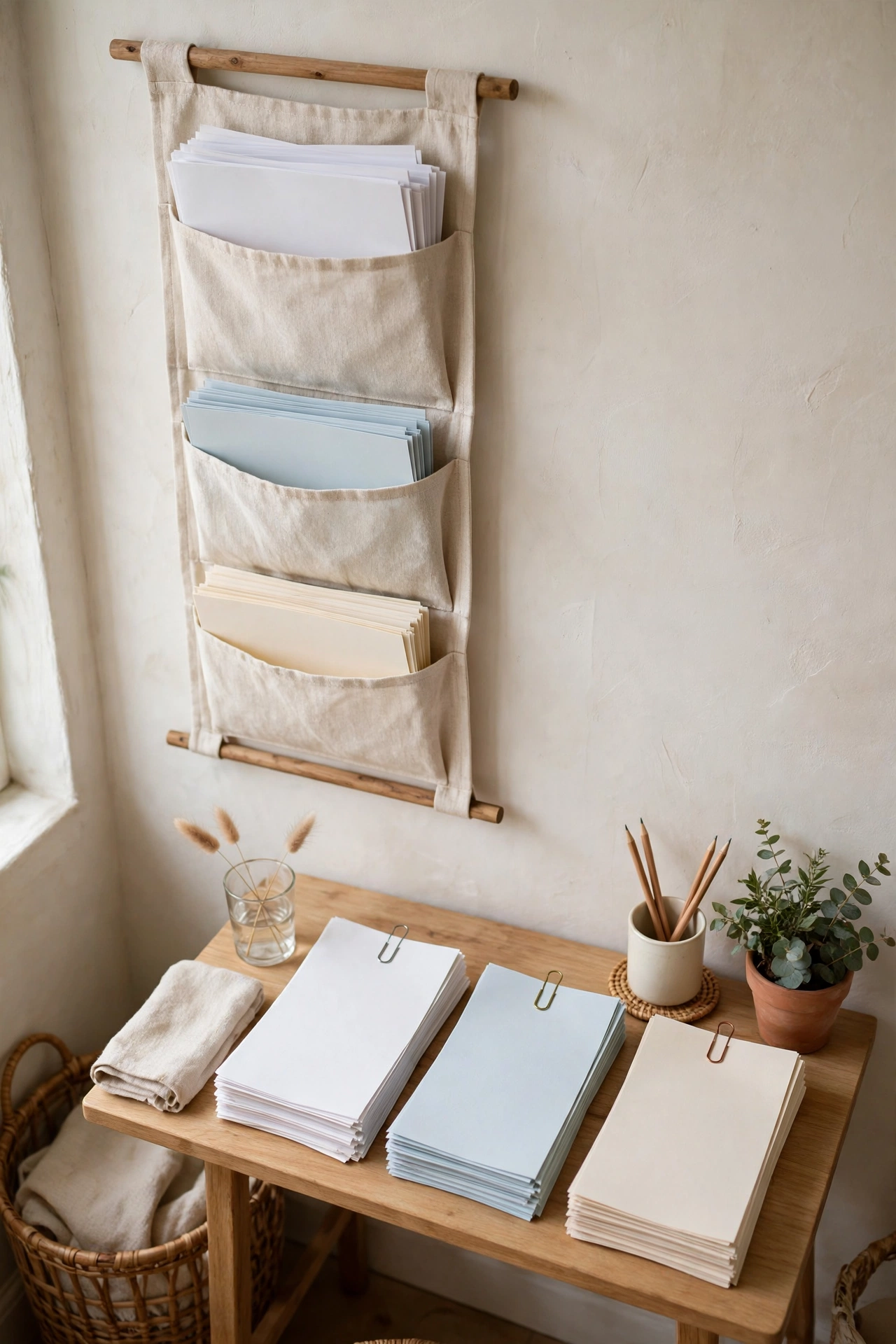
Active papers are the fastest clutter on a small desk. Bills to pay, forms to sign, and pages to read pile up because they have nowhere to wait. Wall-mounted file pockets give them that place without taking surface space. Hang two or three pockets beside the desk at arm height and label each one by action: to pay, to file, to read. Paper goes straight into a pocket when it arrives, and the desk surface stays clear. Clear pockets work well because you can see what waits inside, and a full pocket tells you it is time to process that stack.
Try this: Sort pockets by what you will do with the paper, not by topic. Action labels get emptied. Topic labels sit forever.
Cost: $ · Difficulty: Easy
5. One floating shelf for weekly supplies

Weekly supplies do not belong on the desk, but they should stay within reach. One floating shelf above the desk holds them: notebooks, a reference book, a small basket of backup pens, and one plant. One shelf is the limit on purpose. Two or three shelves turn into display space and start collecting decor instead of supplies. Mount the shelf at a height where you can grab a notebook without standing, and anchor it into studs with hardware rated above the load. Keep the shelf to one row of items so nothing hides behind anything else.
Try this: If you reach for something on the shelf less than once a week, move it to a closet. The shelf is for weekly items only.
Cost: $$ · Difficulty: Moderate
6. Under-desk cable tray with labeled cords

Cables are the clutter you cannot throw away, so they need a system instead. An under-desk cable tray holds the power strip, adapters, and chargers in one hidden channel below the surface. Route each cable the shortest path to its device, bundle the slack with velcro ties, and label every cord with a small tag before it goes in the tray. Labels matter more than the tray itself. When you need to unplug one device, a label tells you which cord it is without pulling the whole bundle out. The goal is one cable from the tray to the wall, nothing on the floor, and nothing crossing the desk.
Try this: Label cords before you thread them into the tray. Labeling after means pulling everything back out.
Cost: $$ · Difficulty: Easy
7. Weighted cable anchor at the back edge
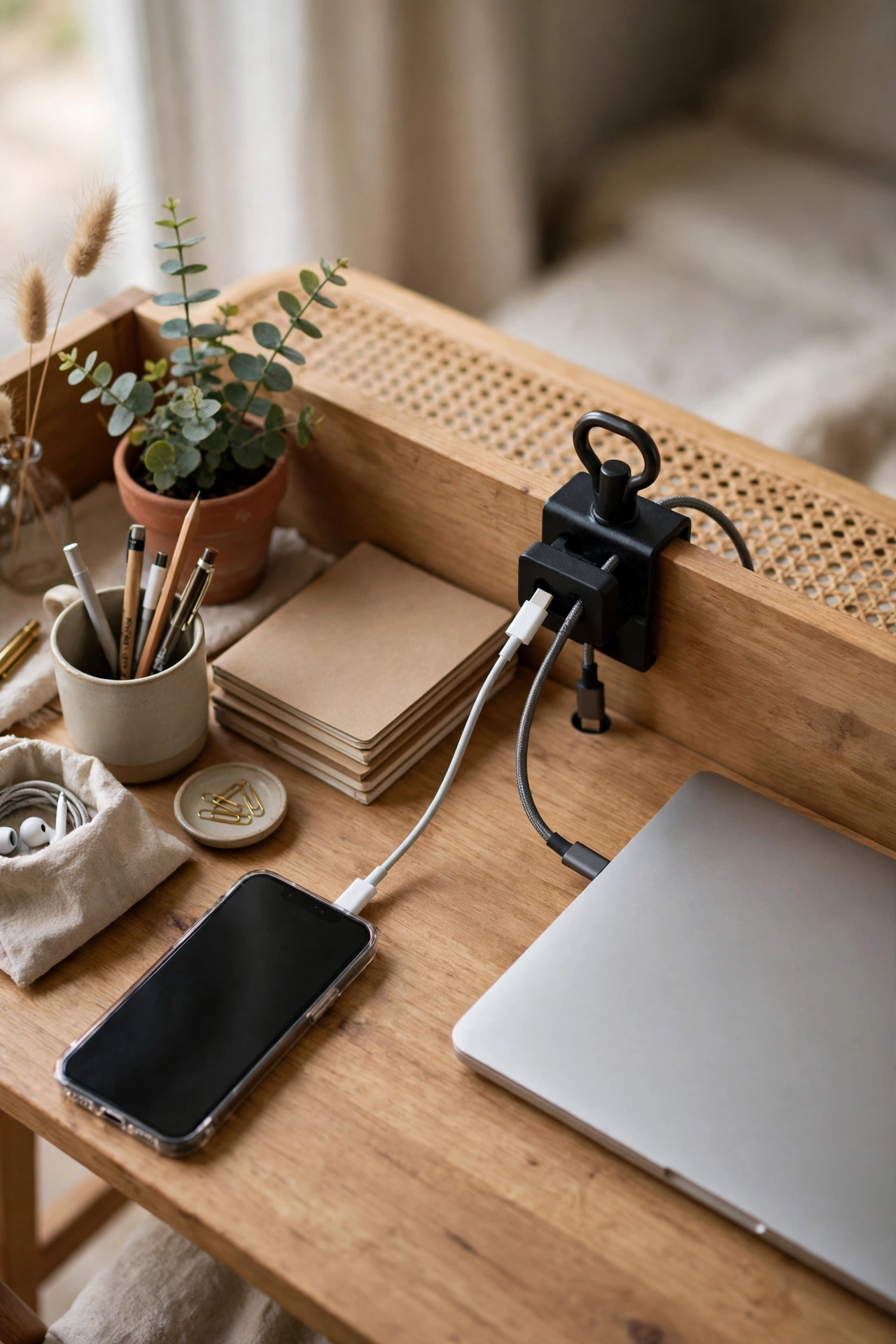
Phone and laptop cords slide off the back of the desk every time you unplug them, and then you fish behind the desk to get them back. A weighted cable anchor at the back edge stops that. The anchor sits on the surface, grips two or three cords, and stays put when you pull a cord free. It needs no drilling and no adhesive, so it suits rented desks and shared tables. Place it at the back corner on the side of your dominant hand, and thread only the cords you plug and unplug daily. Cords that stay plugged in belong in the under-desk tray instead.
Try this: Thread only daily cords through the anchor. Every extra cord makes the anchor harder to use.
Cost: $ · Difficulty: Easy
8. Hidden charging station inside a drawer
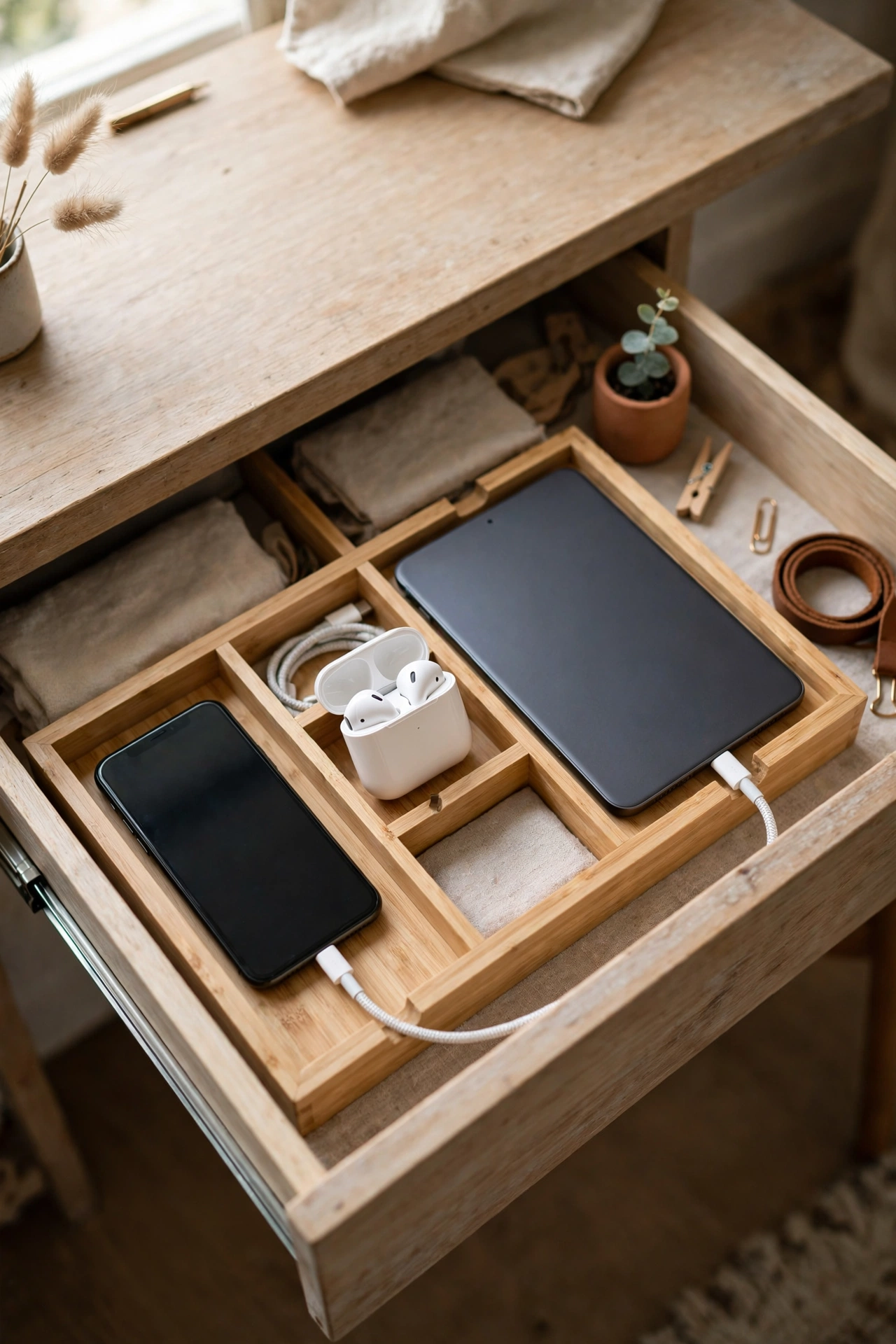
Chargers multiply fast. A phone charger, earbud case, tablet cable, and spare battery each take a plug and a patch of surface. A charging station inside a drawer gathers them in one place and hides the mess. Run a short power strip into the drawer, add a small tray for devices, and drill no holes if the drawer already has a cable gap at the back. Devices charge out of sight, while the desk surface keeps only the device you are using. Keep the drawer slightly open while charging if it has no ventilation gap, and never charge a swollen or damaged battery inside a closed drawer.
Try this: Put a small tray inside the drawer so devices do not slide around when you open and close it.
Cost: $$ · Difficulty: Moderate
9. Wireless charging pad for the phone
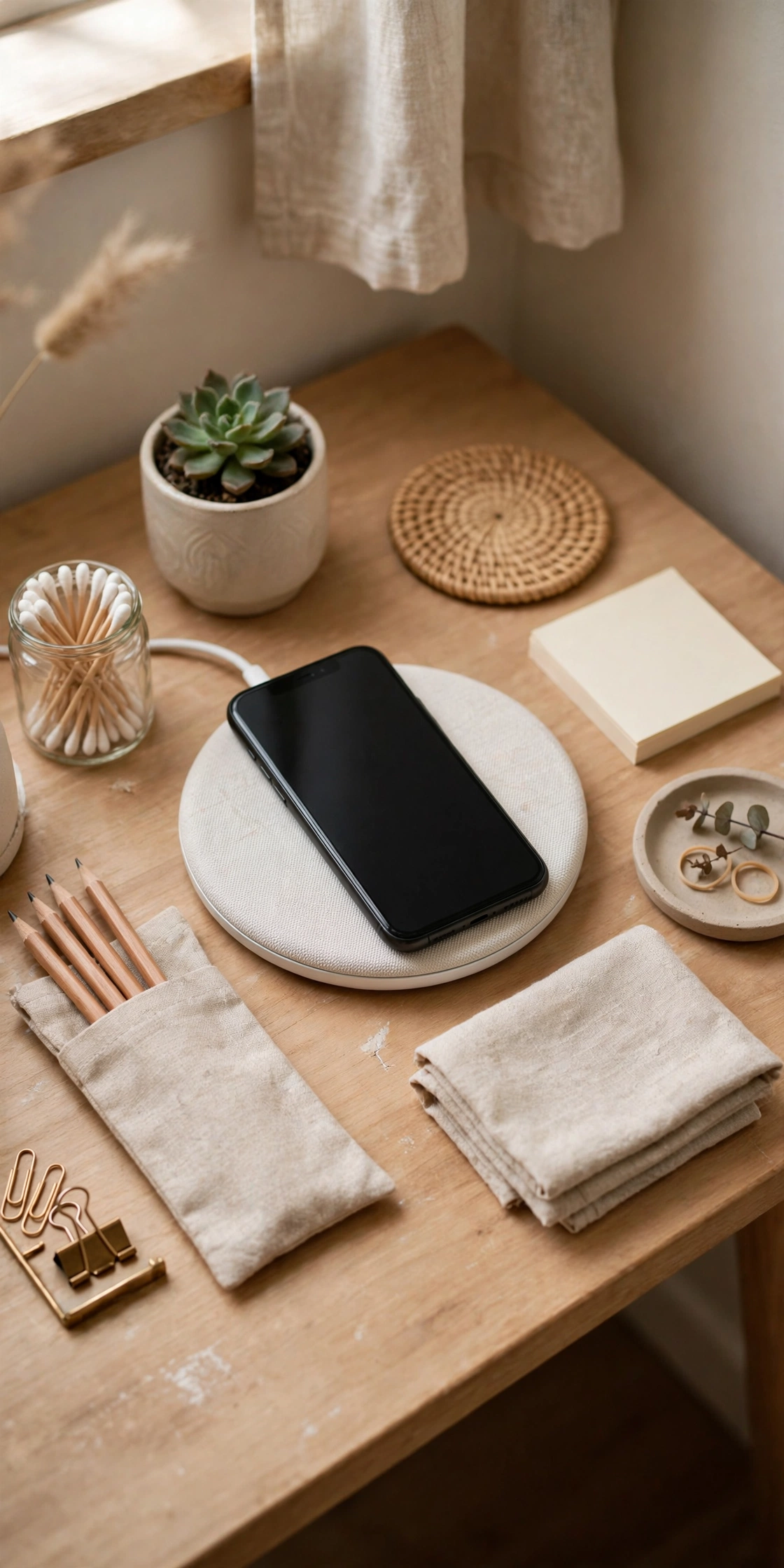
The phone charger is usually the most handled cord on a desk, which makes it the messiest. A wireless charging pad removes that cord from the equation. The pad sits in one corner, the phone rests on it between uses, and there is no cable to coil, untangle, or lose behind the desk. It works best when the pad has one fixed spot that never moves, so putting the phone down becomes a habit rather than a decision. Check that your phone supports wireless charging before you buy, and keep the pad away from metal objects that can block the charge.
Try this: Give the pad a fixed corner and never move it. A charging spot that moves is a cord you will lose again.
Cost: $$ · Difficulty: Easy
10. Multi-tier letter tray sorted by action
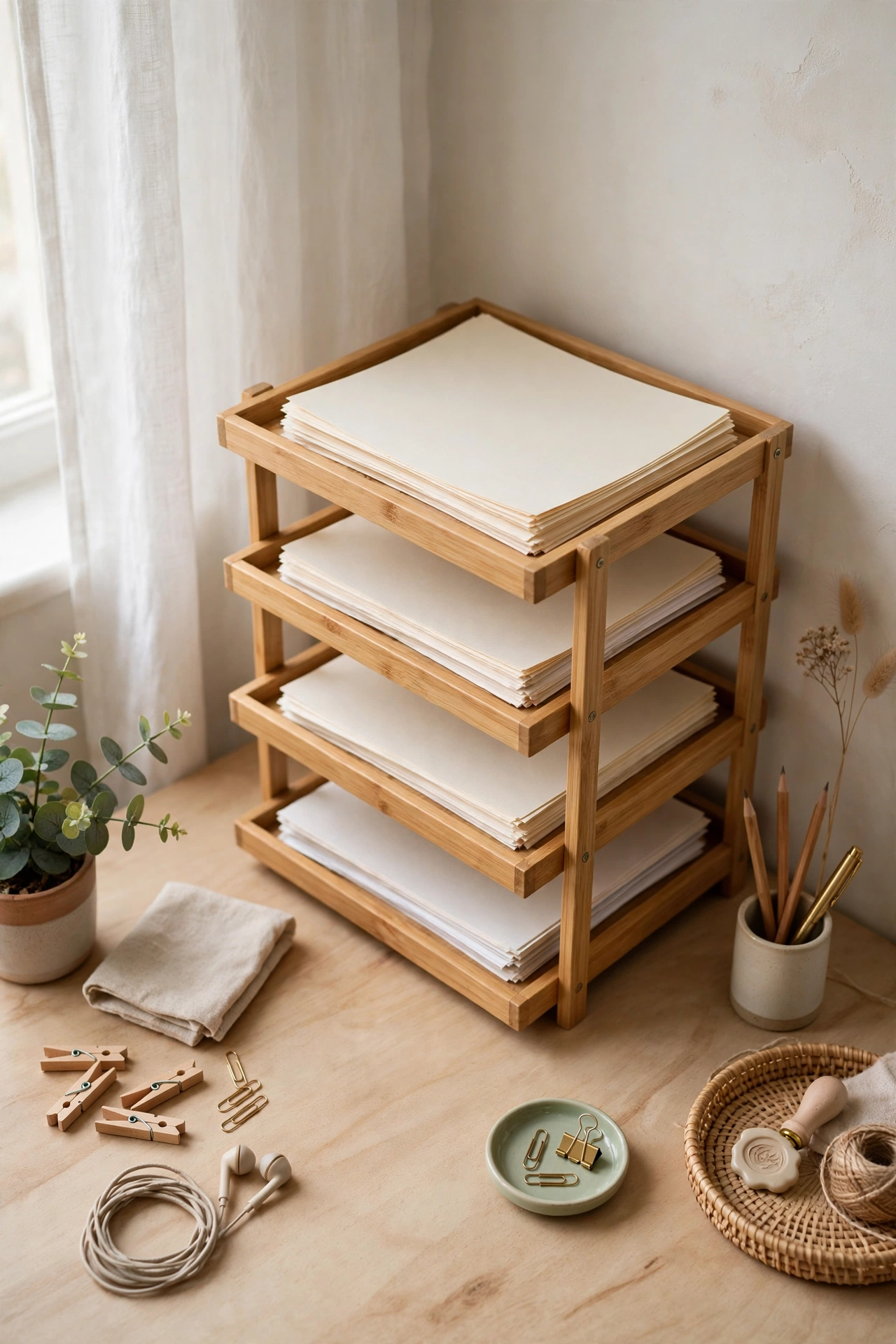
Paper with no system grows into a stack. A multi-tier letter tray stops that by sorting incoming paper the moment it arrives. Label the tiers by action: read, file, send, and sort. Each piece of paper goes into one tier, and each tier gets emptied on its own schedule. The read tier clears daily, the send tier clears when you post things, and the file tier clears weekly into the archive. Keep the tray in a back corner so it never competes with your work area, and keep it to four tiers. More tiers mean more decisions, and more decisions mean paper stays on the desk.
Try this: Process the read tier every evening. A tray that never empties becomes the pile it replaced.
Cost: $$ · Difficulty: Easy
11. Vertical file sorter for magazines and notebooks

Magazines, notebooks, and folders stack badly. A horizontal stack hides the bottom items, slides over, and eats a wide patch of desk. A vertical file sorter stands them upright in slots, so each one pulls out without moving the rest. It takes the same footprint as one notebook lying flat but holds six or eight items. Sort by use, not by size: current project notebooks in the front slot, reference magazines behind them, and blank notebooks at the back. When a slot stays empty for a month, that is a slot you can remove and a surface you get back.
Try this: Stand items upright with the spine or label facing out. A sorter you cannot read at a glance wastes the space it saves.
Cost: $ · Difficulty: Easy
12. Slim rolling file cabinet for paper archive

Papers you must keep but rarely touch do not belong on the desk or in its drawers. A slim rolling file cabinet beside the desk holds them in hanging folders and rolls out of the way when you do not need it. Tax forms, old contracts, and reference printouts go in labeled folders, and the cabinet slides under a side table or against a wall when the workday ends. Choose a cabinet narrow enough to fit beside the desk without blocking your chair, and keep it to papers only. The moment it starts holding supplies, it becomes a second junk drawer on wheels.
Try this: Label every hanging folder before you file anything. An unlabeled archive is a box you will never open.
Cost: $$ · Difficulty: Easy
13. Clamp-on headphone hook under the desk

Headphones live on the desk because they have nowhere else to go, and they take the space of a notebook while they sit there. A clamp-on hook under the desk edge gives them a home that takes no surface at all. The hook clamps on with no drilling, holds the headphones by the band, and many models double as a cable holder for the headphone cord. Hang it on the side away from your dominant hand so the cord never crosses your work area. If your desk edge is too thick for a clamp, a small adhesive hook under the surface does the same job.
Try this: Hang headphones on the hook every time you take them off. A hook you use half the time saves no space at all.
Cost: $ · Difficulty: Easy
14. Monitor-top shelf for small items
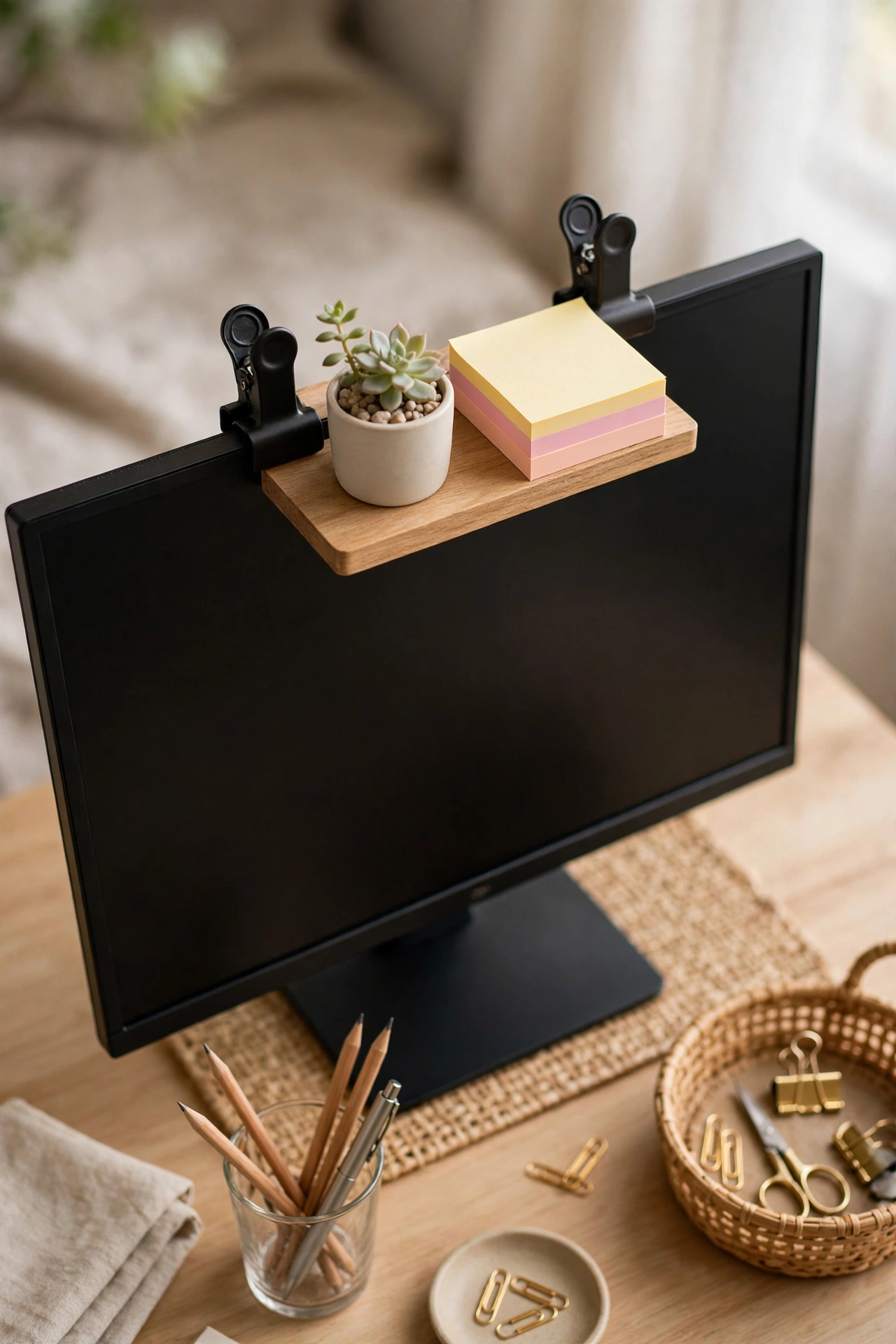
The top of a monitor is dead space on most desks, and a clip-on shelf turns it into storage for small items. A tiny plant, a sticky note pad, or a small speaker sits above the screen without touching the desk surface. The shelf clamps on with no tools and adjusts to the monitor thickness, so it suits rented desks and shared tables. Keep it light and keep it to three items at most. A heavy shelf can tip a monitor, and a crowded one blocks the top of the screen. Never block the monitor vents with the shelf or with anything sitting on it.
Try this: Keep the shelf to items under half a pound each. Heavy items belong on the desk or a wall shelf.
Cost: $ · Difficulty: Easy
15. Hidden storage behind the monitor
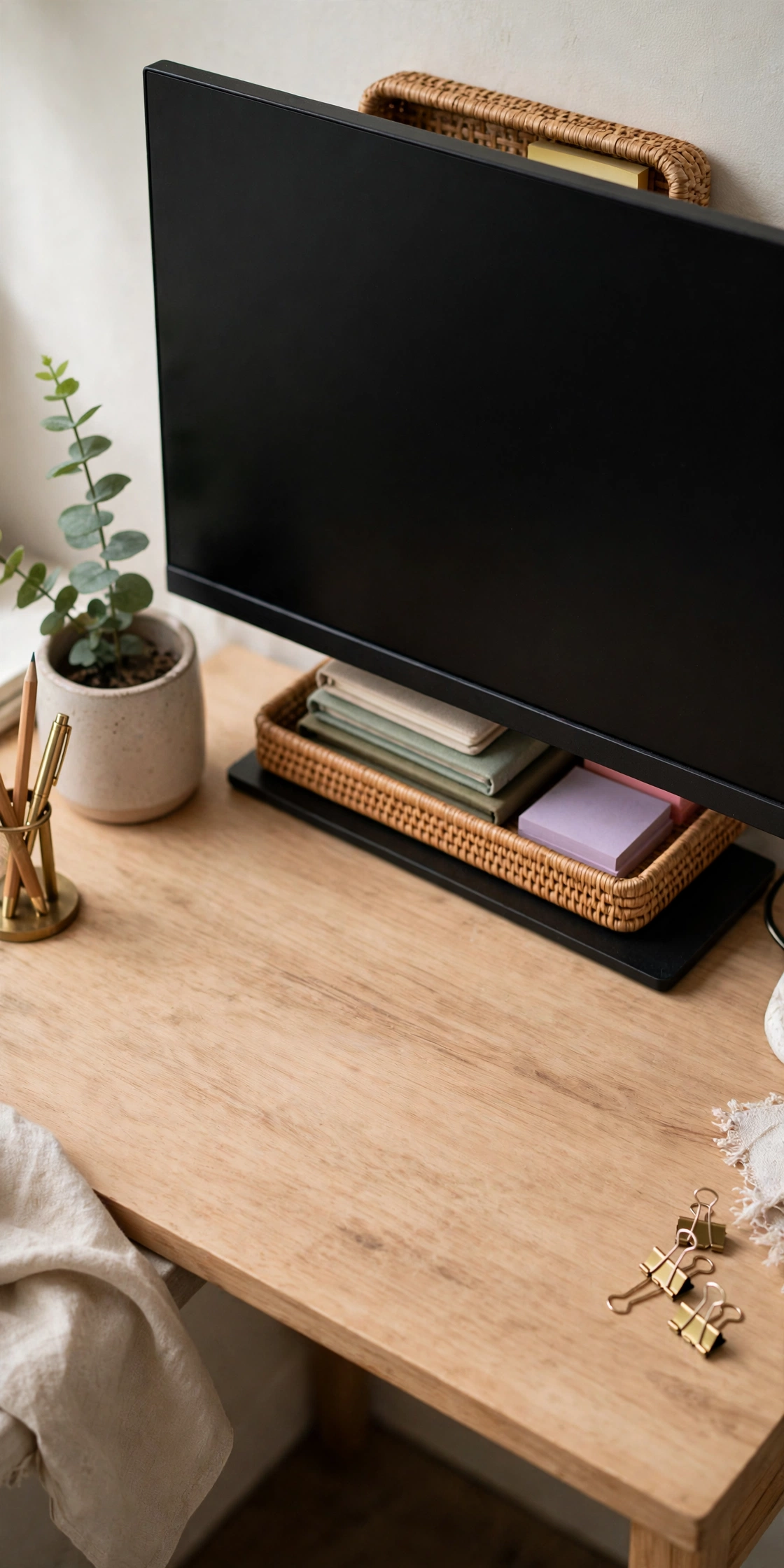
A large monitor hides a pocket of space behind it that most people never use. A small tray tucked behind the screen holds notebooks, sticky notes, and a pen without showing from the front of the desk. It works because the monitor already blocks that space from view, so the storage stays invisible while staying within reach. Keep the tray shallow so it never pushes the monitor forward, and never block the monitor vents or the cables at the back. Check the space once a month, since hidden spots collect forgotten items faster than visible ones.
Try this: Keep the tray to flat items only. Anything tall will peek above the monitor and ruin the hidden effect.
Cost: $ · Difficulty: Easy
16. Jar trio for pens and small tools

Pen cups fail when one cup holds everything and the pens bury the scissors. A trio of small jars fixes that by splitting small tools into three visible groups: pens and pencils in one, scissors and rulers in the second, and clips and pins in the third. Glass jars work well because you see what is inside without opening anything, and old jam jars cost nothing. Wrap one with twine or paint if you want them to match the room, but keep the jars short enough that pens do not disappear inside them. Three jars is the limit. A fourth jar starts a collection instead of a system.
Try this: Use jars short enough that pen tips stay visible above the rim. Deep jars hide the pens you reach for most.
Cost: $ · Difficulty: Easy
17. Magnetic strip for metal supplies
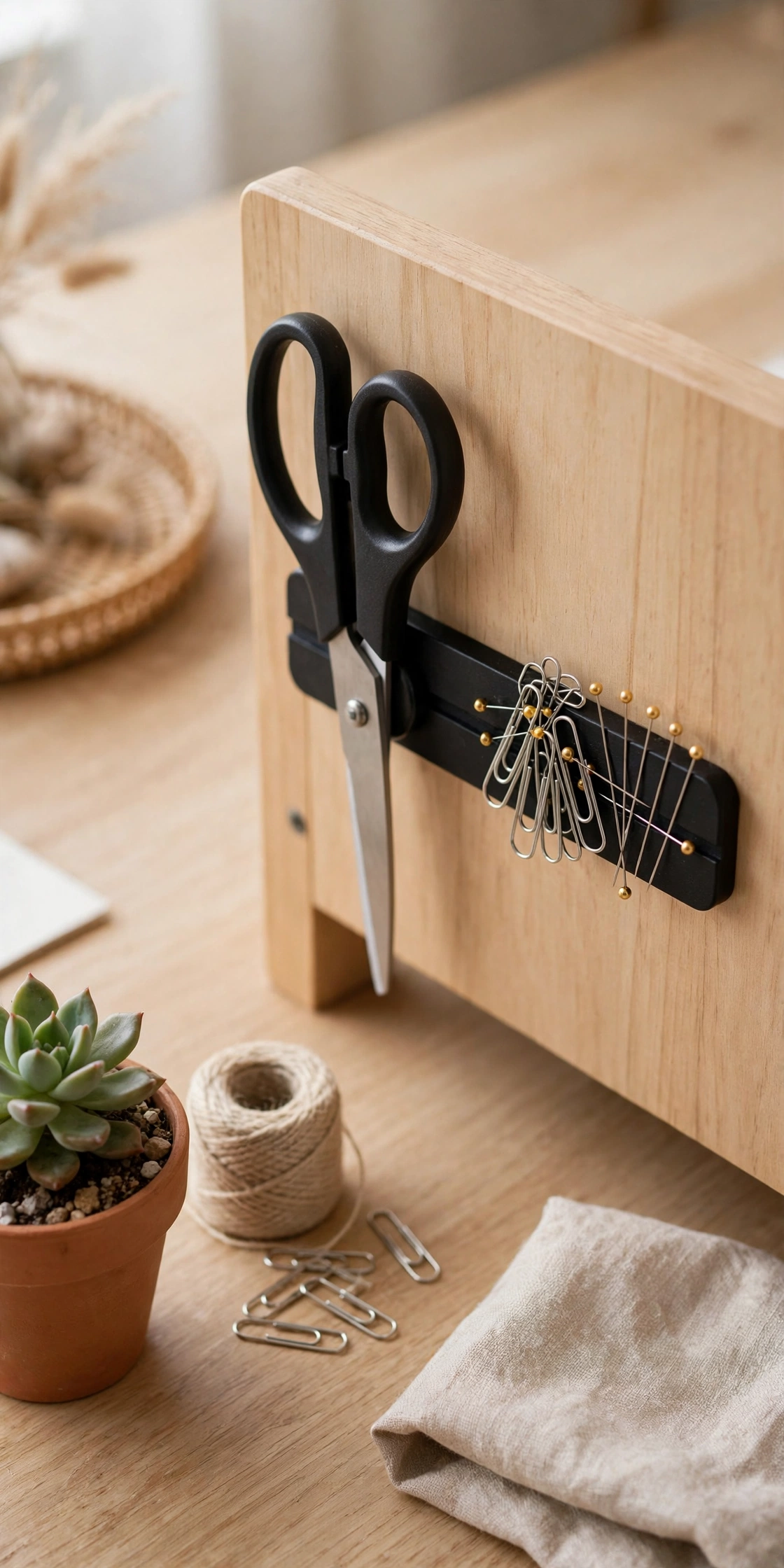
Scissors, paper clips, pins, and binder clips are small, metal, and always missing when you need them. A magnetic strip mounted on the side of the desk or inside a drawer holds them in one visible line. The strip takes no surface space, and each item comes off with one pull and goes back with one touch. Mount it where your hand naturally reaches, such as the inside of the top drawer or the side panel of the desk, and keep it to metal items only. Plastic and wood tools still need a jar or a tray, since magnets will not hold them.
Try this: Mount the strip inside the top drawer if you share the desk. Shared desks stay tidier when supplies are out of sight.
Cost: $ · Difficulty: Easy
18. Door-back hanging pocket organizer
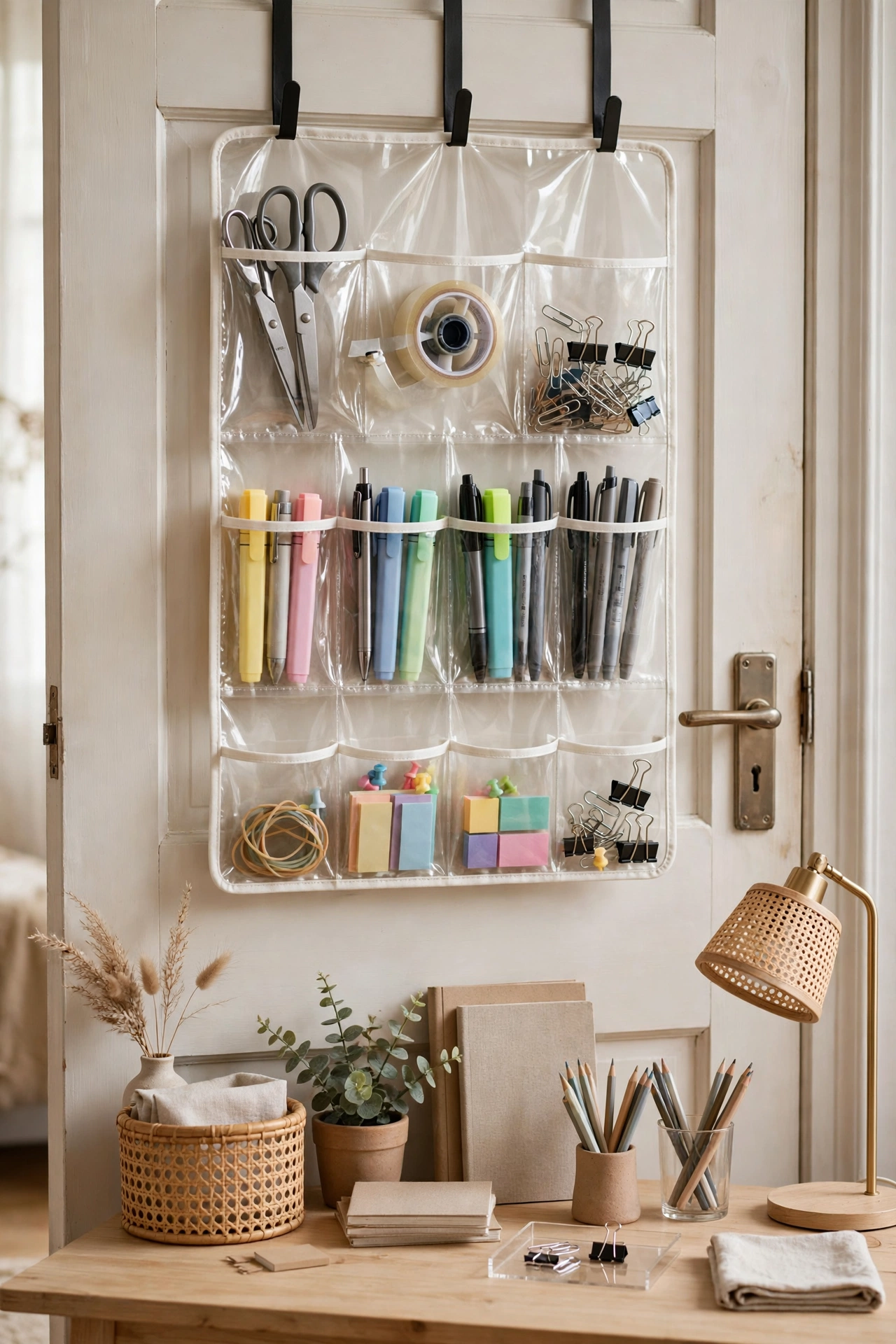
When the desk has no drawers and the walls are rented, the back of the door is the storage surface left. A hanging pocket organizer hooks over the door and holds office supplies in clear pockets: spare pens, cables, notebooks, chargers, and small tools. Clear pockets matter because you find things by sight instead of digging through fabric pouches. Label the top row for daily items and the bottom rows for backups, and keep heavy items low so the organizer does not swing when the door moves. It needs no drilling and comes down in seconds when you move out.
Try this: Keep heavy items in the bottom pockets. Weight at the top makes the organizer swing every time the door opens.
Cost: $ · Difficulty: Easy
How to choose the right system
Start with your worst mess, not with a shopping list. If papers cover the desk, start with the letter tray and the file pockets. If cables tangle, start with the cable tray and the anchor. If small tools vanish, start with the drawer dividers and the jar trio. Buy one system, use it for a week, and only then add the next one. A desk organized in one afternoon with ten new products usually slides back within a month, because no single habit had time to form.
Match each system to how often you use the items it holds. Daily items earn surface space or the top drawer. Weekly items earn a shelf or a wall pocket. Monthly items earn the file cabinet or a closet. When a system stops working, the cause is usually a wrong frequency match, not a wrong product. Move the items to a different tier before you replace the organizer.
Comparison table
Cost key: $ means $1 to $10, $$ means $11 to $99, $$$ means $100 to $999, $$$$ means $1,000 and up.
| Idea | Cost | Difficulty | Best for |
|---|---|---|---|
| 1. Bamboo drawer divider system | $ | Easy | Desks with a drawer |
| 2. Shallow daily kit tray | $ | Easy | Daily essentials in one view |
| 3. Single catch-all tray | $ | Easy | Desks with no drawers |
| 4. Wall-mounted file pockets | $ | Easy | Active papers |
| 5. One floating shelf | $$ | Moderate | Weekly supplies within reach |
| 6. Under-desk cable tray | $$ | Easy | Tangled cords and power strips |
| 7. Weighted cable anchor | $ | Easy | Daily plug and unplug cords |
| 8. Hidden charging station | $$ | Moderate | Multiple devices charging at once |
| 9. Wireless charging pad | $$ | Easy | Phone charger clutter |
| 10. Multi-tier letter tray | $$ | Easy | Incoming paper flow |
| 11. Vertical file sorter | $ | Easy | Magazines and notebooks |
| 12. Slim rolling file cabinet | $$ | Easy | Paper archive |
| 13. Clamp-on headphone hook | $ | Easy | Headphones with no home |
| 14. Monitor-top shelf | $ | Easy | Small items above the screen |
| 15. Hidden storage behind the monitor | $ | Easy | Flat items out of sight |
| 16. Jar trio for pens and tools | $ | Easy | Small tools in visible groups |
| 17. Magnetic strip | $ | Easy | Metal supplies |
| 18. Door-back pocket organizer | $ | Easy | Rented rooms with no drawers |
Common mistakes to avoid
Buying organizers before sorting is the most common mistake. New bins filled with unsorted clutter just hide the mess for a week. Empty the desk and drawers first, sort everything into categories, remove what does not belong, and only then buy containers for what remains.
Another mistake is giving every item surface space. A small desk cannot hold daily, weekly, and monthly items at once. If everything stays visible, nothing has a home, and the surface fills again no matter how many trays you add. Move weekly and monthly items off the surface on purpose, even when the shelf or cabinet feels like extra work at first.
Skipping labels is the quiet mistake that kills systems. An unlabeled tray, bin, or cord bundle looks tidy on day one and turns into a guessing game by week three. Label cords before they go into the tray, label bins when you fill them, and label file pockets by action so anyone using the desk can put things back correctly.
Safety notes
Anchor wall shelves, file pockets, and any heavy wall storage into studs with hardware rated above the load. A shelf of books can weigh more than it looks, and drywall anchors alone may not hold it. Keep cords clipped along baseboards and under the desk, away from walkways, so nobody trips over them. For homes built before 1978, test for lead paint and follow lead-safe rules before sanding or drilling into painted walls. The EPA Renovation, Repair and Painting program explains the rules for older homes. Hire a licensed electrician for new outlets or hardwired lights, and keep monitor and laptop heat vents clear of papers and trays. Use a stable step stool, never a chair, when reaching a high shelf, and keep heavy items low so nothing falls from above. The CPSC Anchor It guidance covers anchoring heavy furniture and wall storage safely.
Related reading
If your desk itself still needs sorting before you organize it, these ideas cover the layout side of small workspaces. For desk arrangements and furniture choices sized for small rooms, see 12 Small Desk Setup Ideas for a Workspace That Fits Anywhere.
For style ideas that work on desks of any size, from monochrome setups to dual-monitor arrangements, see 26 Beautiful Desk Setup Ideas for a Workspace You Actually Want to Sit At.
For fitting a couch into the same room as your desk without losing the work zone, see 18 Office With Couch Ideas for a Workspace That Lets You Rest Too.
For cubicle storage that borrows some of the same tricks, like wall organizers and baskets, see 25 Cozy Cubicle Inspiration Ideas for a Cute and Productive Workspace.
For a small-space wall desk and other cozy home office ideas, see 7 New Home Office Ideas for Women That Feel Cozy and Stylish.
Frequently asked questions
How do I organize a small desk with no drawers?
Move storage off the surface. Use a catch-all tray for daily items, wall file pockets for active papers, a door-back pocket organizer for supplies, and an under-desk cable tray for cords. Desks without drawers stay tidy only when every category has a home somewhere else, since the surface alone cannot hold everything.
What should stay on a small desk surface?
Only what you use every day: your laptop or monitor, keyboard, mouse, one notebook, and one tray for small essentials. Weekly items belong on a shelf or in a wall pocket, and monthly items belong in a file cabinet or closet. When the surface holds only daily items, you stop clearing it before every task.
How do I keep cables tidy on a small desk?
Put the power strip and adapters in an under-desk cable tray, label every cord, and use a weighted anchor at the back edge for the cords you plug and unplug daily. Wireless charging removes the phone cord entirely. One cable should run from the tray to the wall, with nothing on the floor and nothing crossing the desk.
How often should I reset a small desk system?
Do a two minute reset every evening: clear the surface, empty the catch-all tray, and stack loose paper into the action tray. Once a week, file paper from the action tray and check whether anything has piled up despite having a home. Once a month, review the system itself and move any category that has outgrown its container.
What is the cheapest way to organize a small desk?
Start with what you already own. Old jars hold pens and tools, a shallow box works as a drawer tray, and velcro ties bundle cords for a few dollars. The cheapest real system is a drawer divider set or a catch-all tray, both under $25, plus a daily reset habit that costs nothing and keeps the system working.
Final thoughts
A small desk stays tidy when every category has a home and every home matches how often you use it. Start with the one mess that bothers you most, build that system properly, and let the rest follow one at a time.
For a dedicated learning space for kids, see our guide to 22 Home School Room Ideas for a Learning Space Kids Actually Use for a closet classroom, a rolling cart station, reading nooks, subject zones, and a thrifted setup.
Want the bigger picture too? See these 20 checklist ideas for getting your life together covering money, home, paperwork, health, routines, and relationships.
Paper piles too? See these 10 effective documents organization ideas from color-coded folders to a grab-and-go box.
Not sure where to start? See these 8 point of clutter ideas to inspire your decluttering, from counters to closets.


